

My Monzo bank card expired recently. Somehow many of my services that were tied to it – including Google Pay – seemed to have magically updated themselves to the new card number. Bravo 🥳 Unfortunately however the same cannot be said for AWS.
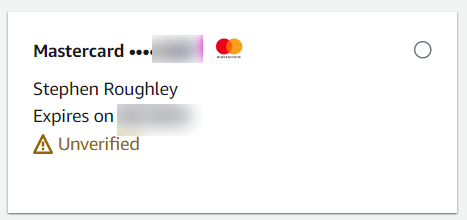
I use AWS for hosting my family data backups of photos etc. in their incredible Glacier storage service. Its an essential service for me so the possibility of not being able to continue paying for it is really quite alarming. You can imagine my anxiety then when I attempted to update my bank card details on AWS only to find that AWS was unable to verify the card, giving me this incredibly useful message:
Your payment method could not be verified successfully. Try again or contact AWS Support.

Try, and try, and try, and…
And so I dutifully tried again. Same result. I Tried deleting the card and re-adding it. Same result. I tried different names. I tried different forms of my address. I tried adding another card from another account entirely. All led to the same result: no matter what, I cannot verify a payment card.
Support Tennis
And so I contacted AWS Support as per the error message. AWS Support took a look and concluded it was a problem with my issuing bank. They also advised that they do NOT support “3d secure” 😱 Or… wait… is that bad? My Monzo account requires I approve payments… is that 3d secure? It was clear I best speak to Monzo. Monzo were really helpful and advised that the only payment attempt made on any of my cards from AWS was the failed attempt using my now expired card. So according to Monzo none of the other payments I had attempted with new/different cards had even registered at their end. Gah!
Help! Someone?
By this point I’m starting to wonder if I’ll ever be able to make a payment to AWS. I turn to the Internet for help and quickly land on a number of reddit posts from over the last year with numerous people reporting similar and related issues with limited success in resolving them. One user even advised it was easiest just to switch to Azure 😕 Not looking good…
- https://www.reddit.com/r/aws/comments/1covx1k/unable_to_verify_my_payment_method_uk/
- https://www.reddit.com/r/aws/comments/1coa1c0/adding_a_payment_method_doesnt_work_for_any_aws/
- https://www.reddit.com/r/aws/comments/uuoai9/unable_to_verify_payment_method_uae/
Running on instinct
I assume that having spent over 2 decades in software development now has primed me to always try anything different no matter how stupid it may seem. In web development in particular this usually means logging-out and back in again and hard-clearing your cache. Neither of which made any difference. The next obvious thing is to try another browser and WOULD YOU FREAKING BELIEVE IT, IT WORKED! I’m a default Chrome user but Edge sometimes has its uses. Here we find one of them! Simply by firing up Edge I was able to log in, complete my payment and verify all of my payment cards.
I can see that where Chrome throws me back to the previous page with the payment error…

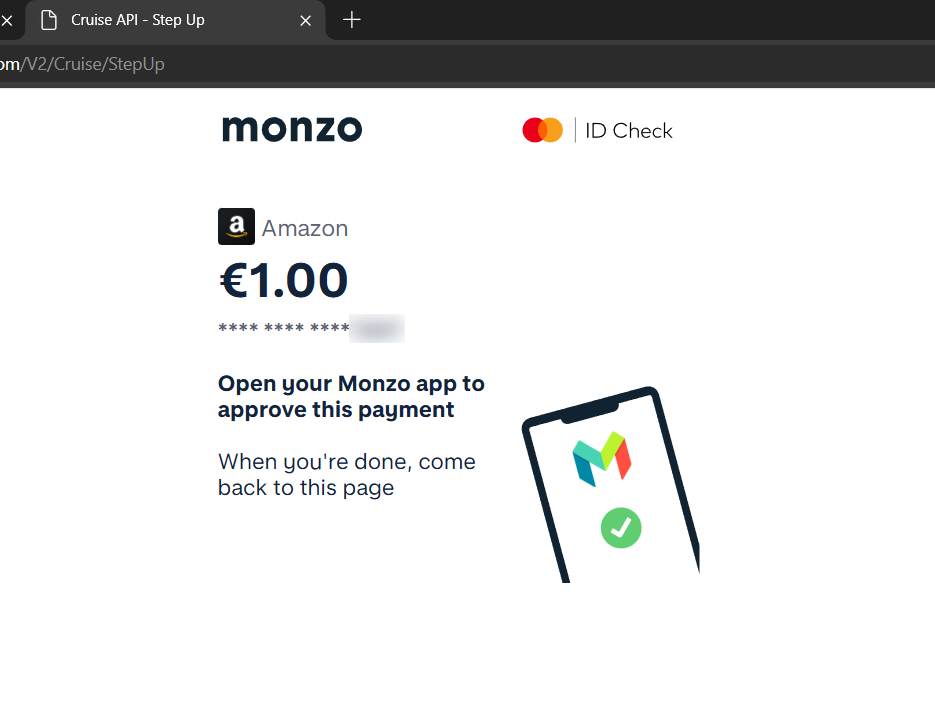
… Edge instead redirected over to the ID Check flow (I guess this is different from 3d secure then!). I was able to approve the payments and my cards are now verified.
TL;DR
So I guess the TL;DR here is: If you have trouble getting AWS to verify your Payment Card when using Chrome, then you might just benefit from trying Edge! YMMV of course… please shout in the comments if your experience differs here.
 Stephen Roughley - A Common Developer